
Saber Feedback
@saberfeedback
Followers
227
Following
99
Media
106
Statuses
546
Get meaningful website feedback from your users. A really short demo video: https://t.co/XWkWur69ph
Barcelona, Spain
Joined July 2011
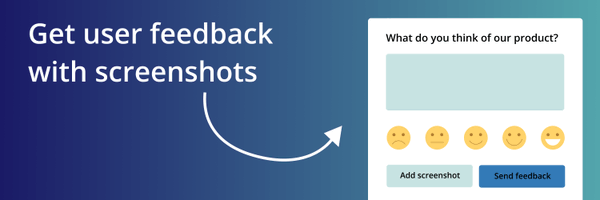
Saber Feedback lets your users send feedback with a screenshot. We think the screenshot feature is awesome. We've made this short demo to show you how it works.
0
0
2
Read how we determine a user's location, why it is sometimes inaccurate, and how we improved accuracy: https://t.co/OMmxW9Qf6k

saberfeedback.com
Saber Feedback uses geolocation to determine where each feedback report came from. We've made this more accurate.
0
0
0
Saber Feedback uses geolocation to determine where each feedback report came from. We've made this more accurate. We were hosting the geolocation database on our server and updating it monthly. We now do live location detection via @ipinfoio's API for higher accuracy.
1
0
2
NPS measures the loyalty of a company’s customers. It takes the form of one question: “How likely is it that you would recommend [Company X/Product Y/Service Z] to a friend or colleague?” Interested in setting up your own NPS survey? Learn more here: https://t.co/sR57ixGEo7

saberfeedback.com
Net Promoter Score tools are all designed to ask one simple question. So how are they different? Why should you pay more for one tool and not another?
0
0
0
This is a summary of a blog post published earlier on our website. Read the full version: https://t.co/Gc2YBNOdgd
saberfeedback.com
Testing your website confirms that it works as intended. It proves (or disproves) that all of your ideas and efforts have come together in a functional, useful way. If you can't confirm this before...
0
0
0
4. Performance testing • See how the site behaves as you increase its workload (also beyond intended). • Analyze response to an excessive data volume. • Test how the site handles an excessive amount of users. ↓
1
0
0
3. Compatibility testing • Test your site on Windows, iOS, macOS, Linux, Android… • Test your site on Safari, Google Chrome, Mozilla Firefox, Opera… • Check that fonts, graphics, and visuals remain responsive regardless of platform. ↓
1
0
0
2. Usability testing (cont.) Test usability: • Is the site convenient to use? • What's unnecessary? • How do users feel after using it? ↓
1
0
0
2. Usability testing Test navigation: • Can users find content easily? • Are menus clear and organized? Test content: • Is it clear and has no grammar mistakes? • Are instructions simple and readable? ↓
1
0
0
1. Functionality testing • Check all links. • Check everything with an input or output and anything that provides feedback. • Check cookies, HTML, and CSS. ↓
1
0
0
The filter bar makes it easy to find feedback based on category, location, browser, OS, and more. You can find the filter bar right above your list of feedback reports.
0
0
0
7 ways to use customer feedback: • Improve your customer experience • Get ideas for new features • Motivate your team • Add social proof to your website • Measure customer satisfaction • Improve customer retention • Use it as a possibility to upsell What else?
0
0
0
You can get a weekly summary of all the feedback your form has received during the last week: • Go to your Saber Feedback dashboard • Select the relevant form • Click on Configure -> Settings • Tick the box "Receive weekly summary email"
0
0
0
Have a website in a local language? Not a problem. Saber Feedback supports in total 14 different languages!
0
0
0
Did you know that Saber Feedback integrates with your favorite collaboration tools, such as @Jira, @trello, @asana, and many others? Skip the hassle and get your feedback automatically to the tool of your choice. Read how to do it here: https://t.co/iOoKu6AwCs
saberfeedback.com
Saber Feedback fits your existing workflow by integrating with Jira, Trello, Slack, Zendesk, Basecamp, Asana, GitHub and more.
0
0
0
Are you using @helpscout? Here’s a step-by-step guide to adding a feedback button to Help Scout docs! https://t.co/BLYOC7SElO
0
0
0
Saber Feedback’s free trial is now 30 days! If you only got to test out a 10-day free trial before, we’re offering a chance to get a new 30-day free trial. Just send an email to info@saberfeedback.com and we'll set it up for you.
0
0
1
Each January Saber Feedback’s owner Steve reflects on how the product and the company have evolved in the last year. Here’s a summary of what we accomplished in 2021: https://t.co/z05MtkkUfz
saberfeedback.com
In 2021, we put a lot of effort into modernising our feedback widget, as well as our web console, where you configure your widget and view your feedback reports.
0
0
1
Installing Saber Feedback is lightning-fast. Just log in to your account, click ‘Install’ from the dashboard and copy the code snippet to your clipboard. Then paste to your website’s ‘head’-section. And you’re done!
0
0
1