
Stephen Margheim
@fractaledmind
Followers
4K
Following
15K
Media
553
Statuses
8K
tweeting about Ruby, Rails, SQLite, CSS, HTML, plus various and sundry other
Berlin, Germany
Joined March 2013
If you didn't see yesterday, I'm partnering with @aarondfrancis and @steve_tenuto to produce an in-depth video course on building with Rails + SQLite. "High Leverage Rails" is coming in February and I couldn't be more excited!
3
6
104
Your accessibility audit says you’re compliant. Your keyboard users can’t complete your signup flow. These aren’t contradictory. We’ve just been measuring the wrong thing.
0
0
0
Accessibility tools ask “does this image have alt text?” The actual question is “can someone navigate your interface?” One is compliance. The other is usability. We’ve been testing the wrong thing.
1
0
0
I cloned @laravelphp's Cloud breadcrumbs as a simple <nav> with <a> links and [popover]s. If you'd like to see a video walkthru of how exactly I built this, let me know. I've been considered resurrecting my YouTube channel and sharing more videos here. Would you watch?
5
1
56
Enjoyed this post? Subscribe to @fractaledmind for my mix of frontend, backend, SQL, Rails, and random content.
0
0
2
Try this: Tab through your homepage without touching your mouse. Can you tell what’s focused? Can you reach the main CTA? Can you get back out of the menu? That 30-second test tells you more than your lighthouse score ever will.
2
0
18
The fastest accessibility audit: Tab through your site. Where does focus land? Can you see it? Can you reach everything? Can you escape that modal? Your linter can’t answer these. They’re also the only questions that matter.
0
0
6
Note: I am *not* building an NPM package or a CLI. I *am* building a browser extension. But, accessibility is usability, and we _should_ test it that way!
This is the page it built based on that simple prompt. Be sure to check out the full page in the link in the quoted tweet
0
0
1
The prompt: Can you "see" webpages if I give you links? Here are three of my favorite landing pages that use the TUI aesthetic: * https://t.co/1hXd1ntFzj * https://t.co/EvHtDXyVHt * https://t.co/AxcWF152Pj In case you can't hear are screenshots attached. I want you to redesign

planetscale.com
PlanetScale offers the world’s fastest and most scalable cloud hosting for Vitess and Postgres.
I used Gemini yesterday for some design work, and I have to say, it was astounding. Does it produce _exactly_ what I want in one-shot? Absolutely not. But I got me into editing mode and past the blank canvas immediately, and its suggestions and aesthetic were remarkable.
2
1
7
This is the page it built based on that simple prompt. Be sure to check out the full page in the link in the quoted tweet
The prompt: Can you "see" webpages if I give you links? Here are three of my favorite landing pages that use the TUI aesthetic: * https://t.co/1hXd1ntFzj * https://t.co/EvHtDXyVHt * https://t.co/AxcWF152Pj In case you can't hear are screenshots attached. I want you to redesign
0
0
2
The prompt: Can you "see" webpages if I give you links? Here are three of my favorite landing pages that use the TUI aesthetic: * https://t.co/1hXd1ntFzj * https://t.co/EvHtDXyVHt * https://t.co/AxcWF152Pj In case you can't hear are screenshots attached. I want you to redesign
planetscale.com
PlanetScale offers the world’s fastest and most scalable cloud hosting for Vitess and Postgres.
I used Gemini yesterday for some design work, and I have to say, it was astounding. Does it produce _exactly_ what I want in one-shot? Absolutely not. But I got me into editing mode and past the blank canvas immediately, and its suggestions and aesthetic were remarkable.
2
1
7
I used Gemini yesterday for some design work, and I have to say, it was astounding. Does it produce _exactly_ what I want in one-shot? Absolutely not. But I got me into editing mode and past the blank canvas immediately, and its suggestions and aesthetic were remarkable.
1
0
5
And: ``` dialog::backdrop { background-color: rgb(0 0 0 / 0.5); transition: background-color 0.2s ease-out, overlay 0.2s ease-out allow-discrete, display 0.2s ease-out allow-discrete; @starting-style { background-color: rgb(0 0 0 / 0); } } ```
0
0
2
CSS snippet: ``` dialog { opacity: 1; scale: 1; transition: opacity 0.2s ease-out, scale 0.2s ease-out, overlay 0.2s ease-out allow-discrete, display 0.2s ease-out allow-discrete; @starting-style { opacity: 0; scale: 0.95; } } ```
1
0
1
The `overlay` property controls whether the dialog stays in the top layer during the transition—without it, the dialog would immediately drop behind other content. MDN:

developer.mozilla.org
The top layer is a specific layer that spans the entire width and height of the viewport and sits on top of all other layers displayed in a web document. It is created by the browser to contain...
1
0
1
The `allow-discrete` keyword applies transition timing to discrete properties. For exit animations, the element remains visible, transitions, then switches to `display: none` after the transition. Learn more at MDN:

developer.mozilla.org
The transition-behavior CSS property specifies whether transitions will be started for properties whose animation behavior is discrete.
1
1
3
To master exit transitions for <dialog>s, turn to `transition-behavior: allow-discrete`. Most CSS transitions are smooth, but `display` toggles abruptly. `allow-discrete` ensures elements stay visible briefly for smoother exits before `display: none`.
4
35
379

Safari 26.2 (a selection): - command invokers - field-sizing: content - sibling-index() & sibling-count() - anchor improvements like position-try-fallbacks affecting psuedos - oklab default in color-mix() - scrollbar-color https://t.co/Za23FajA6A
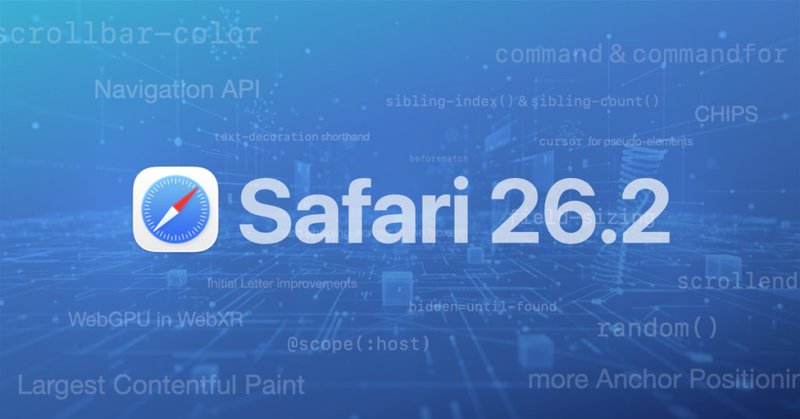
webkit.org
Safari 26.2 is a big release.
7
29
184
Plus there is a whole lot more, and lots of features I'll be writing more about and demoing soon. Upgrade and checkout all of the goodness!
0
0
0
Safari 26.2 is here and full of features I've been writing about lately, like • `command` and `commandfor` invoker attributes • `field-sizing: content` for auto-expanding <textarea>s • improvements to Anchor Positioning • `scrollbar-color` styling https://t.co/OWExHhZOip
webkit.org
Safari 26.2 is a big release.
1
1
10
You can animate the backdrop too 😉 ``` dialog::backdrop { background-color: rgb(0 0 0 / 0.5); transition: background-color 0.2s ease-out; @starting-style { background-color: rgb(0 0 0 / 0); } } ```
0
0
1