
Textastic
@Textastic
Followers
4K
Following
318
Media
99
Statuses
3K
Textastic / Alexander Blach. Text, code, and markup editor for iOS and Mac. @[email protected]
Joined September 2010

My friend @Lextar just released a new version of the @Textastic code editor for iPhone and iPad 🚀 If you’ve been waiting to download this well-known app, now it’s free to download! 🎉 https://t.co/a8wwL6lbuN
4
4
40
Textastic 6.0 for Mac is here! New features: select separate Dark Mode theme, adjustable line height, five new editor themes, improved Swift support, fully compatible with macOS Sonoma… #Textastic #MacAppStore
https://t.co/vd4amQ88Ug
1
1
17
Textastic Code Editor for iOS is 30% off from today (#BlackFriday) through next Tuesday! #IndieAppSales $8.99 down from $12.99 in the US €9.99 down from €14.99 in Europe It's very rare for Textastic to go on sale, so get it now on the App Store: https://t.co/zii0voWJCf
2
9
13
Textastic Code Editor 10 for iPad and iPhone is now available on the App Store! 🚀 It features a refreshed user interface, improved Swift support and easier file upload.
0
12
35
Textastic is now also on Mastodon at

social.blach.io
68 Posts, 1 Following, 752 Followers · Textastic – Code Editor for iPad, iPhone, and Mac.
0
0
8
Textastic 9.9 for iOS is now available. It supports the iPhone 14 Pro and iPhone 14 Pro Max display sizes. It also fixes issues with text selection when using an external keyboard on iOS 16 and fixes problems when entering Korean text on iOS 16.
1
3
11

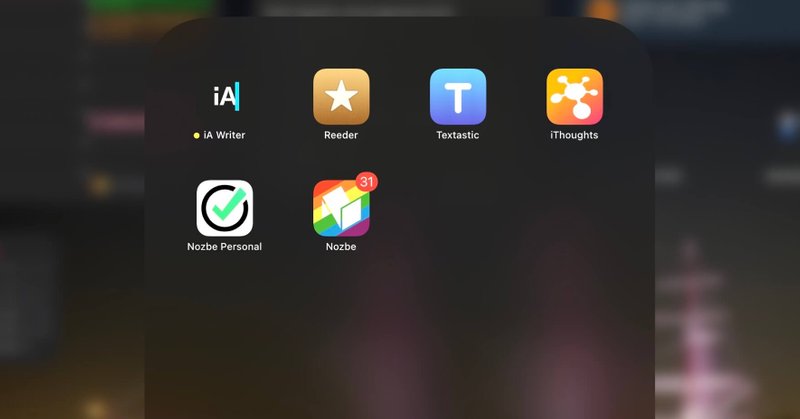
I can’t believe that after 10 years of being #iPadOnly I still use these 5 apps every day and they are still “best in category” for me: - @iAWriter - @Textastic - @reederapp - @ithoughtsapp - and of course (duh!) @nozbe P.S. These are all indie apps https://t.co/5ch08CA7Bb
michael.team
More than 10 years ago I switched completely to using the iPad as my main computer and I posted a series of screenshots of apps I was using then. Heck, I dedicated an entire section of my #iPadOnly...
0
7
16

Start editing files in @Textastic from context menu. The file and any changes stay in the repository. https://t.co/6sStDAImCK
0
5
11
Stage Manager with overlapping windows and full external display support in iPadOS 16 is going to be great for working with Textastic! (Looks like I'll need to buy an M1 iPad though.)
4
2
15
Textastic 9.8.6 also includes an important update to libssh2 which fixes problems with RSA public key authentication on SSH servers running OpenSSH 8.8 and later. Other key types (like ECDSA and Ed25519) were not affected. Thanks to @palmin for his help!
0
1
8
"Show in Files App" is available for all folders, files and locations. This includes "Local Files" (which opens "On my <Device>/Textastic" and "iCloud" (which opens "iCloud Drive/Textastic").
1
1
4
In Textastic 9.8.6 you can now rename external folders from the context menu. You can also use "Show in Files App" to quickly open the folder in the Files app.
1
6
18

I'm currently on a plane writing a blog post on an iPad. I have an IDE with syntax highlighting from @Textastic, complete shell access with @iSH_app (I'm running my Python code), and markdown editing with @iAWriter & more! Should I write a blog post about this flow?
2
2
16

This week on @appstoriesnet, we interviewed the developers of 2 apps deeply integrated with Shortcuts: @pushcut_app & @WorkingCopyApp. On https://t.co/O9JUAFuAO0, I talk about designing multi-purpose shortcuts VS simple utilities. Out early for members:
0
4
13
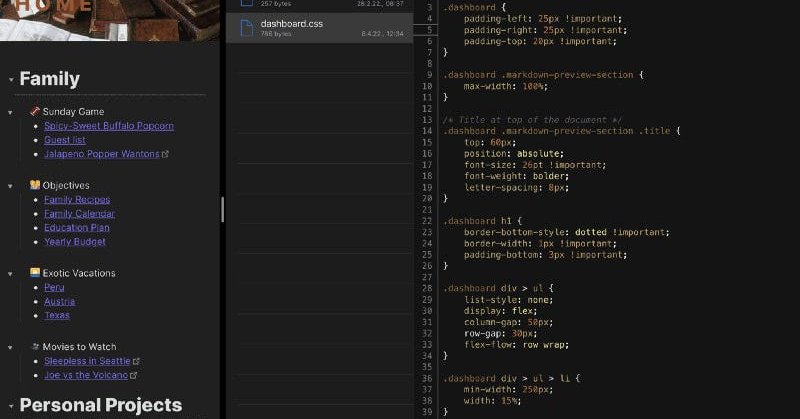
Customizing Obsidian on your iPad If you own an iPad, I will show you an easy way to turn your tablet into an @obsdmd hacking machine for working with CSS, Markdown and JavaScript using @Textastic. #TfT
https://t.co/smd6lCL2Dr
medium.com
If you own an iPad, I will show you an easy way to turn your tablet into an Obsidian hacking machine for working with CSS, Markdown and JS.
0
6
29
Textastic 9.8.3 adds five new code editor themes: Yesterday (light), Tomorrow (dark), GitHub Light, GitHub Dark, and a personal favorite: Ocean (dark) The GitHub themes are based on GitHub's official VS Code themes.
0
3
16
Obsidian programming on the iPad. I do most of my dev on the PC, however there are times when I want to modify code while actually using some solution. I am using @Textastic, a developer IDE on my iPad and working with the results in @obsdmd real time. Hackers rejoice! #TfT
0
4
29

Thanks to this week’s @macstoriesnet sponsor: Textastic – Code Editor and SFTP Client for iPad and iPhone https://t.co/kGJqofC9Ga
0
5
14
As always, a detailed description of the changes can be found in the App Store.
0
1
6
Textastic 9.8.2 for iOS is now available. This is mainly a bug fix release, but also includes a few minor improvements.
2
1
18