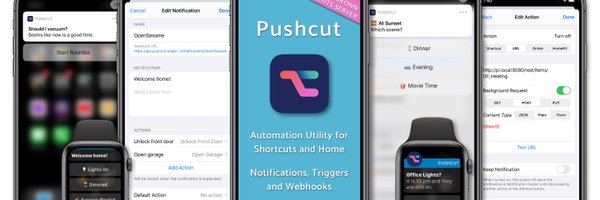

pushcut.io
@pushcut_app
Followers
3K
Following
330
Media
116
Statuses
497
Smart Notifications for Shortcuts, HomeKit, and Online Automation. For iPhone, iPad, and Apple Watch. Support: https://t.co/1APqwcep6d
App Store
Joined April 2019
2022.10 Update: User Requests! https://t.co/cFkM8WpDn2 Easier notification creation, enhanced actions in those notifications, and more!
pushcut.io
We've been busy implementing a number of user requests, just in time for the holidays. If you have one make sure you ask us either on Reddit, or via Mastodon. You can now duplicate a notification in...
0
3
6

Do you want to trigger a notification via a Focus Filter? How about customise the order of your quick actions, or add a server schedule through a Shortcut? You can do all that and more with the latest release of Pushcut 🤓 https://t.co/GeLCY6ud0x
pushcut.io
If you want to trigger a Pushcut notification automatically when a Focus Mode starts, then we hope you'll like this update! You can now take advantage of Focus Mode Filters with Pushcut—and that...
1
1
9
Want notifications when the state of your automation server changes? How about re-ordering widget components? 2022.8 is out! https://t.co/tXjzgQQcGU
pushcut.io
We're continuing adding feature requests to Pushcut, and this month we've got improvements to Widgets, Notifications and the Automation Server.
1
2
10
2022.7 is out! Dynamically set your Widget Actions, and get your Server Status in Shortcuts https://t.co/NkxdROCUB7
pushcut.io
We recently asked feature requests on the Pushcut subreddit and while this release was already in the works, I'm pleased to say it delivers some of those requests already!
1
1
13

Here’s how to send a push notification to your phone from just about anywhere using @pushcut_app
https://t.co/QpYlsL5BKX
#automation #iOS #macOS
1
1
4
We're using our new Time Sensitive notifications to make sure we're ready to tune into the Apple event later! What iPhone will you play with our new Lock Screen Widgets on? (Coming soon to iOS 16!)
4
1
19

Silly little Zap I set up with Twitter and @pushcut_app where it tells me when I get a new follower, and how many followers that person has. I could add so much more besides follower count too, like whether I follow them, how many tweets they have, location, etc.
3
2
10
Part 3! ⏱🏖
Our final tutorial today: Create a countdown widget! ⏱🏖 Follow along to create and fully automate a vacation countdown widget! 🍿 Watch it here: https://t.co/h7Cxbui6pW We’ll create more of these in the future, so please let us know what topics you’d like us to cover! 🙂
0
0
7
Our final tutorial today: Create a countdown widget! ⏱🏖 Follow along to create and fully automate a vacation countdown widget! 🍿 Watch it here: https://t.co/h7Cxbui6pW We’ll create more of these in the future, so please let us know what topics you’d like us to cover! 🙂
3
6
39
Part 2! 🚀
And the second tutorial is here: Understanding widgets, contents and inputs! ⭐️📲 Watch this one to enhance your automation powers! Inputs allow you to change data inside the widgets, and contents modify the entire widget appearance! 🍿 Watch it here: https://t.co/FAXdw2tlRw
1
0
6
And the second tutorial is here: Understanding widgets, contents and inputs! ⭐️📲 Watch this one to enhance your automation powers! Inputs allow you to change data inside the widgets, and contents modify the entire widget appearance! 🍿 Watch it here: https://t.co/FAXdw2tlRw
0
2
21
First one is out!
Here’s our first video tutorial: Understanding widget components! 📱⚙️🔨 This one details what you can do with each of our widgets’ 5 components: Texts, Symbol, Spacers, Rows and Columns. 🍿 Watch it here: https://t.co/muJCAdSxjr And let us know what you think!
1
0
4
Here’s our first video tutorial: Understanding widget components! 📱⚙️🔨 This one details what you can do with each of our widgets’ 5 components: Texts, Symbol, Spacers, Rows and Columns. 🍿 Watch it here: https://t.co/muJCAdSxjr And let us know what you think!
2
4
20
Based on the feedback you sent us, we’ve prepared 3 video tutorials! 🎥🎓 These will explain core widgets’ concepts such as components, contents and inputs. And we’ve also created a widget building and automation tutorial! 🧑🏫 We’ll release them tomorrow, so stay tuned! 🚀
1
1
15
Hello everyone! iOS 15.3 has been released and it brings an important fix: the Get my Shortcuts action is once again working as expected! With this fix, our Export for Pushcut shortcut should now import all your shortcuts, including those organized in folders.
2
5
27

Pushcut: Automate HomeKit, Notifications and Widgets [Sponsor]
macstories.net
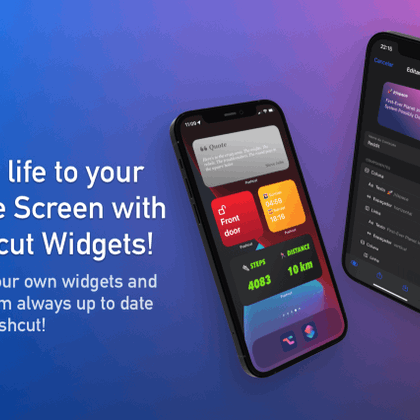
Pushcut, the one-of-a-kind iPhone and iPad utility that extends the power of Apple’s Shortcuts app and your HomeKit devices with a smart notification system, just added support for Home Screen...
0
3
8
Shout out to our fellow nominees, which are amazing apps and services that have been empowering iOS users all around the globe, taking Shortcuts to another level! 🙂 @a_Shell_iOS @datajarapp @Jellycuts @ToolboxProApp @Wolfram_Alpha
2
1
6
If you enjoy our app, make sure to give us a vote on the poll link: https://t.co/Md0ucamqDV.
polltab.com
Vote Now!
1
1
2
We’re honored to be nominated for the 2020 Best Third-Party Tool award of the amazing /r/shortcuts community! Check out the post at
1
0
8