

Karin Prater
@swiftyplace
Followers
6K
Following
237
Media
255
Statuses
548
I switched from physics to iOS development. I am passionate about learning and love to help others to become better. I teach SwiftUI and Combine on Youtube.
Germany
Joined March 2021
For senior iOS devs: Does this match what you see with mid-level developers? What would you add to Level 1? I'm running a 6-week cohort on exactly this - if you're stuck in the "it works but it's messy" phase https://t.co/LPg9J6wZ2y
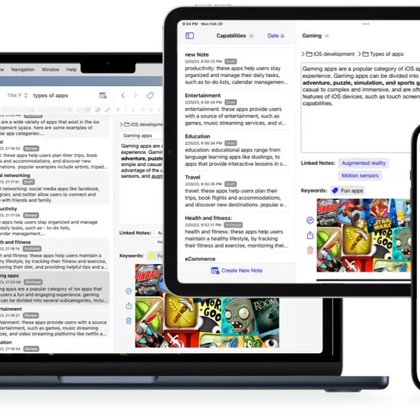
school.swiftyplace.com
Get a rock-solid foundation in scalable architecture. Learn clean code structure, modern state management, and testable MVVM patterns in SwiftUI.
0
0
0
When I see iOS architecture courses jumping straight to Clean Architecture and modularization, I think they're skipping the part where most apps actually fail. Here's how I think about the three levels of architecture problems - and why Level 1 is where 90% of the work happens.
2
2
10
To understand the data flow and updating triggers in SwiftUI, its very helpful to draw the view tree diagram. Updates are passed down the view tree.
0
0
3
Watch how to quickly see what views in SwiftUI update and why https://t.co/7JBLpjH4eX
1
0
2
3 Ways to Debug SwiftUI View Updates in Xcode 26 - Find Performance Issues Fast In my new Yotube tutorial, I'll show you: -> Flash Update Regions - Xcode 26's new visual debugging feature (updated views flash yellow) -> _printChanges() - Track exactly what's causing view updates
3
0
9
Watch https://t.co/y72T1aP2ou to see how I build a SwiftUI app with Observation feature and Swift Concurrency. You can have a look at the Github repository here:
github.com
SwiftUI app with async/await, Observation feature, MVVM + service layer, iOS 26, Xcode 26 - gahntpo/GhibliSwiftUIApp
0
0
4
New Youtube video: Building an iOS Ghibli App with SwiftUI, MVVM, and Swift Concurrency In this SwiftUI tutorial, we dive into modern iOS development by building a Ghibli app using SwiftUI and MVVM architecture. We explore various aspects such as state management, async/await
1
1
12
The code behind this is a mess right now 😂 Using SwiftSyntax to parse, but tracking @State through view hierarchies gets complex fast. Still useful for understanding your own architecture patterns though.
0
0
7
Made a tool to actually see SwiftUI data flow 👀 Click on any @State, @Observable, or method and instantly see where it flows through your view hierarchy. Built it to teach architecture on my channel, but now I use it every day to navigate my own projects.
4
1
23
Is it just me or did SpotLight become more like Raycast

Finally, native clipboard history on macOS #WWDC25 My clipboard app @PastePalApp is done https://t.co/F2ms9vV1BJ 😬
1
0
6
If you could work anywhere, where would that be?

My team is hiring! Check out this position if you're interested in working on the #SwiftUI framework and shaping the future of app development! https://t.co/AhudcQmTZM
0
0
4
The demo project is a small children game app. It is quite fun with lots of drawing like Meshgrids and animations like the confetti. I will try to publish it this Thursday. Let me know if you are interested in SwiftUI animations.
0
0
12
It is working if I run the same code for macOS where I dont have this ugly box with the shadow arround the drag view:
1
0
6
Sometimes SwiftUI is just confusing. I am working on a tutorial project for drag and drop. But I am not able to change the drag preview. I am pretty sure this used to work. Was it always like this? Did something change? When did it change? Maybe its me?
3
1
20
i published a my first macOS app. It can help you with Xcode junk. You can get it for free here: https://t.co/u6wbMzpBCy
2
2
24
You can watch the full walkthrough to clean your mac here: https://t.co/Fzxuvce6ZL
2
1
9
I only recently learned that simulator runtimes on my Mac take up SO much space! Check out how you cn clean up unused iOS versions (including betas) and free up tons of GB with a simple terminal command. You new Youtube tutorial 👇
5
11
117
My YouTube channel achieved 20,000 subscribers on February 24, 2025! Thank you to everyone who watched and subscribed!
12
2
63