

👩🏻💻Endeavour Tech 👩🏻🏫
@k2techieteacher
Followers
1K
Following
8K
Media
856
Statuses
5K
K-4 Tech • Seesaw, BrainPOP & RaspberryPi Certified Educator • Rozzy Ambassador • PLTW • STEM • Coding • Robotics • 📸 • 💡• ⚙️ •
United States
Joined September 2013
Reviewing parts of the #HumanBody with my #Kindergarten @PLTWorg classes using @Ozobot #kinderchat #ngss #STEM #STEMeducation #STEAM @EndeavourJBMDL #1stchat #PLTW #PLTWlaunch #PLTWClassroom
0
5
16

After reading How to Catch a ☃️ by @WallysBook kindergartners coded themselves as ⛄️ in @PBSKIDS @ScratchJr 🖼️Snowy background 🖌️Draw a ☃️ 📸And photo to top ⚪️ ✏️Draw details 💬”Brrr!” ➡️⬆️ Code to move 🔘 Screen record & share to @Seesaw Thanks @swampfrogfirst for this idea!🩷
1
2
5

Wondering how to use @GetSchoolAI with students? 🤔 Try this! 👀 👩🚀 Chat w/ Astronaut Sally Ride ☎️ Chat w/ Alexander Graham Bell 🎤 Chat w/ Martin Luther King, Jr Not sure where to start? We have you covered! ⤵️ https://t.co/ON4O4bs2WL
#interACTIVEclass #FETC
1
5
13

2
2
6

We heard you loud and clear: confirm when you want to delete your sprites, so your excellent work doesn't disappear! 🎩🐇
32
39
226

⭐How to Implement Successful Differentiation Strategies⭐ https://t.co/AUlY7khQT9 via @EducatorsRoom
#teaching #learning
0
77
195

🌟📚Discover AI tools that can transform your classroom and support student learning. 40 AI tools for the classroom https://t.co/w18THxcNtJ
6
150
336

Students can record and share video responses all inside of Padlet. Read my post for the steps I take to create a padlet that functions like a Flipgrid topic. #EdTech #TeacherTwitter #FETC
https://t.co/3wH3vdMiW6

learninginhand.com
Padlet can be a replacement for Flip/Flipgrid. Collect and share video responses by changing a padlet’s settings.
3
35
99

Settler grid - ask students to pick one and complete at the start of class - great method for retrieval.
23
175
1K
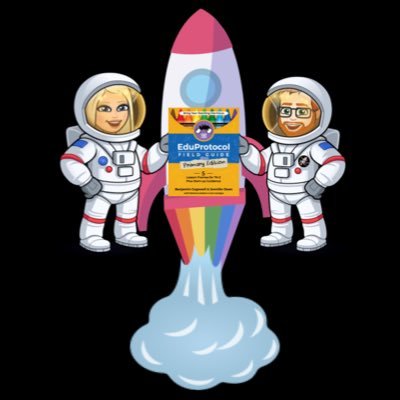
Check out @Techy_Jenn and @cogswell_ben at this year’s @Seesaw Connect! You can still register for this free event!! https://t.co/GwCSVEZ1qa
#seesawlearning #tlap #dbcincbooks #eduprotocols #primaryeduprotocols @eduprotocols
1
5
9

#GoogleClassroom is expanding with 16 new add-on partners 🤝 ! Which partners are you most excited to see? Explore here and tag the partner below ⬇️ https://t.co/VgWseIa3BA
7
47
131
Get an editable #ChatGPT prompt for lesson planning, along with examples for activities, ideas, and differentiation. Transform your teaching approach today! https://t.co/RletuZ4J8j
#aiineducation #edtech #teaching #backtoschool
2
65
247

From mrssteaches4th_ on IG: "My classroom is so small so there isn’t a lot of space for our many anchor charts. I always want my students to have access to our anchor charts so ... I came up with these mini anchor charts! I just take a picture, cut and laminate for each student!"
4
35
180

Out with the old staff handbook, in with the new digital communication hub! Check out the approach that worked for P @kjones_m and get the template! → https://t.co/2EAyZjkCak
23
64
450
I attended @psloanjoseph's #2024UTC virtual session, S.L.A.Y. the Day: Creating Effective Digital Learning Experiences. To slay means to "put things in place to impress and be amazing and awesome when students are using tech tools." Here are my notes from the presentation...
2
4
7
👩🏫 What do you do in your classroom twhen a student finishes early? _______ 📸 @finleyt
#edutwitter #teachertwitter #learning
0
44
135
Tip Tuesday! Quickly stitch together multiple Live Photos into a video. In Photos on iPhone or iPad, go to Albums → Live Photos → Select → choose some photos → ⋯ → Save as Video. Each Live Photo is a short video clip, and the clips are played in succession.
4
7
25
Are you a TK-2 teacher looking to get started with @eduprotocols ? One of our favorite ones to start with is Little Random Emoji Writing. We love using paper & @Seesaw . Here are some templates to get started. #PrimaryEduProtocols #k2cantoo
docs.google.com
Little Random Emoji Writing Starter Pack
1
1
6

Teaching is the most important job in the world. 🎉 To kick off #TeacherAppreciationWeek, we're giving away 50 prizes all week long to share some love! 💙 💳 $100 Gift Cards 🎉 $50 Gift Cards 💻 Nearpod Gold Licenses ✨ Retweet this & tag a teacher to let them know! Enter
184
248
277
Here's a good way to convert a series of slides in Google Slides to an animated GIF. Google Slides → PDF → EZGif Download a PDF version of this poster: https://t.co/tEAMDpKd3I
1
29
73
After reading How to Catch a ⛄️ by @WallysBooks w @Novel_Effect 📕✨, these kindergartners used @PBSKIDS @ScratchJr to code themselves trying to catch a ⛄️. 🖌️ to draw a ☃️ 📸 to add 🧒🏼 🧒🏼 to characters ➡️⬅️Learned to code 2 characters 🔁Use repeat block 🔘 Save to @Seesaw!
1
2
22