Explore tweets tagged as #ImageButton
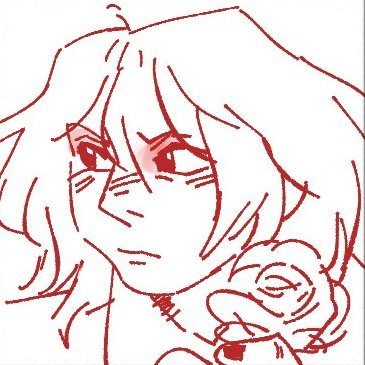
Custom quick menu!!! Ik it's basic stuff, but I'm starting to get the hand of GUI customisation and imagebutton stuff- It's exciting thinking of the cool stuff I can do that I once thought was out of reach! #vndev #visualnovel
1
2
6
Xamarin - ImageButton doesnt activate every click https://t.co/CvyjzUZGvM
#xaml #xamarin #visualstudio #mobile #imagebutton
0
1
0
How do I detect which imagebutton was clicked (using Python webapp2 in GAE) https://t.co/2S0Qk4kZ0F
#imagebutton #python #webapp2 #googleappengine
0
0
0

New components available in #MobileBlazorBindings: BoxView, CheckBox, ImageButton, and Slider! https://t.co/vcWX9Io9xL
1
12
51
Having problems distinguishing between multiple ImageButton objects sharing the same Clicked event in Xamarin Forms Visual Studio 2019 https://t.co/ngDNeigc76
0
0
0

Android ImageButton Stops Firing After Changing Fragments https://t.co/NRcX2VKS77
#java #androidfragments #android
0
0
0
How to get TextView text when clicking an ImageButton inside RecyclerView https://t.co/THPjFyPeGD
#androidstudio #androidlayout #androidxml #xml #androidrecyclerview
0
0
0
0
0
0


using VisualStateManager with the new ImageButton in #XamarinForms 3.4 to add a pressed state. Lovely! https://t.co/mSlJHMAlOn Updated the 3.x playground app: https://t.co/3NovUjtY7Z
3
20
60

Sooooo we finally have an ImageButton and.... and... FontImageSource! Like, FontAwesome can be used easily now! #XamarinForms
#dotNetConf
0
1
5
ImageButton color getting changed to default on reloading the activity/app https://t.co/5UJQnfT6HG
#android #imagebutton #button
0
0
0

Announcing the release of Xamarin.Forms 3.4.0 w/ even more bug fixes and another new highly requested feature, an ImageButton! Now available on NuGet via the Visual Studio package manager or The Little Things Playground. See how it works: https://t.co/LfE7RA3wnI
1
13
35

Xamarin.Forms 3.4 Playground: ImageButton, AutomationID Bindable, TabIndex in Desktop, etc. https://t.co/vpRUAmFfYO
#XamarinForms
0
4
14

#AndroidStudio備忘録 Viewにコードで角丸をつけるには GradientDrawable()のcornerRadiiで指定 ✅TextView,Button,ImageButtonいずれも角丸にできる
0
0
0