

Ascend Technologies, formerly Edafio
@edafio
Followers
147
Following
213
Media
457
Statuses
1K
Our mission is to provide business-driven technology solutions that enable our clients to protect, run and grow their business.
AR | NE | MI | IL
Joined April 2009
🚨 We’ve Moved! 🚨 In an effort to streamline our social media presence post-merger, this page will no longer be active. Don’t miss out on updates, news, and insights—follow us on @TeamAscendTech
0
0
0
Want everything to be a little more organized? Google Drive's file categorization feature might be the solution. It lets you put everything into defined categories for a little more order. #GoogleDrive #organization #Windows
0
0
0
🌟 Big News! Edafio and Ascend Technologies have united to bring you an even stronger suite of technology solutions, led by a team committed to your success. Exciting times ahead! https://t.co/Es9EhFz6ml
0
0
1
The conversations you have with your AI assistant may not be as private as you thought. Cyber criminals are exploiting a loophole to eavesdrop on secure conversations. Get in touch for security help. #AIAssistant #encryption #CyberSecurity

techspot.com
Like any good assistant, your AI knows a lot about you. It knows where you live and where you work. It probably knows what foods you like...
0
0
0
Meta has introduced a landmark recognition feature to its Ray-Ban smart glasses. The feature lets you walk through a city and learn about its landmarks with a glance. It's in beta... but who else wants a pair? #Meta #SmartGlasses #RayBan
zdnet.com
Traveling to a new city? Meta's Ray-Bans can be your AI-powered tour guide.
0
0
0
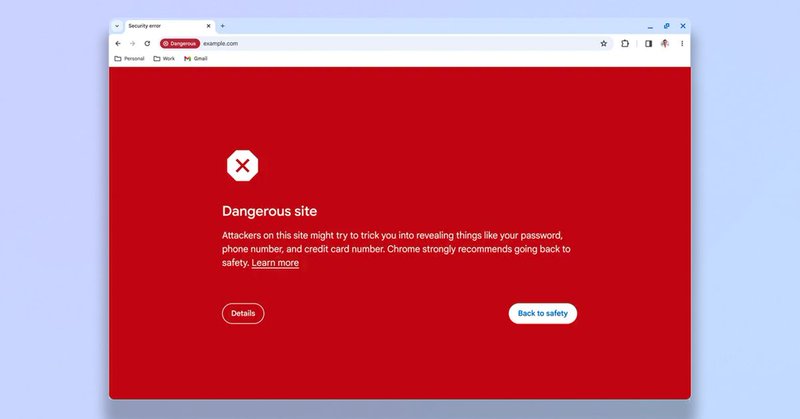
Run that Chrome update! Google's introduced new features to make browsing safer. Safe Browsing spots dangerous phishing sites in real time. #Google #Chrome #SafeBrowsing
tomsguide.com
Making safe browsing even safer
0
0
0
The March update for Windows 11 has been causing some people to have problems with sluggish PCs or even the dreaded Blue Screen of Death. If you're having issues, we can help - get in touch. #Windows11 #BSOD #Microsoft

techradar.com
March cumulative update is bad news for some users, going by reports
0
0
0
If juggling devices means you're constantly hunting for files, the Screens 5 app might be a life saver. It lets you hop from one device to another without leaving your seat. Get in touch for more time saving apps. #Screens5 #BusinessBoost
techradar.com
Homescreen heroes: Screens 5 is your device portal
0
0
0
Video calls can be dull, right? There are rumors that Windows 11 has some new features on the way to inject a little fun, like turning your video chats into cartoons. Which cartoon would you like to feature in? #Windows11 #AIChatMagic

techradar.com
Chats might take place in an animated cartoon, watercolor world, and more
0
0
0
Today's your last chance to sign up Bits & Bites with @Fortinet tomorrow, March 27th! Join us for a lunchtime cybersecurity power-up!⏳Eat, learn, & network at 11:30 AM CT during this lunch & learn event at Samantha's Tap Room, in Little Rock. RSVP today- https://t.co/SG4SIf2VgX
0
0
0
Google's new office in San Francisco is struggling with spotty Wi-Fi. Some staff are plugging cables into their laptops like it’s 2006. If you have similar problems in your office, we can help. Get in touch today #TechTales #WiFiWoes #ITMagic
techspot.com
The Bay View campus in Mountain View has been promoted by Google as featuring the latest in cutting-edge tech and design, boasting "an environment where everyone has...
0
0
0
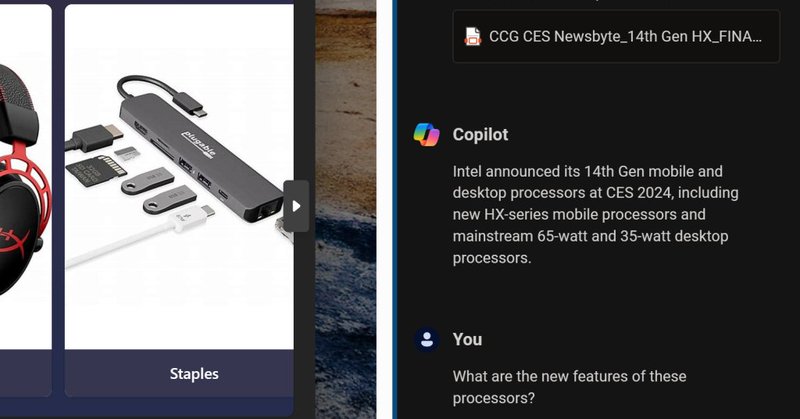
Microsoft's Copilot has made navigating your documents a breeze. Upload your documents, screenshots, or images, and ask Copilot questions like 'What does it mean?' It'll give instant insights. Amazing! #Copilot #Microsoft #AIAssistant
pcworld.com
Microsoft has added document uploading / analysis to Copilot, allowing you to use Copilot's AI to make sense of files on your PC.
0
0
0
There's another new phishing scam doing the rounds. This one poses as a car insurance company promising juicy rewards. Clicking the link could give cyber criminals unauthorized access to your sensitive info. #PhishingAlert #CyberSecurity101 #StayVigilant

techradar.com
The old adage "less is more" apparently also works in phishing
0
0
0
Are you looking for the latest in IT news & trends? Explore insights into ethical technology in the age of AI. Learn important questions to ask when planning to implement AI within your organization. https://t.co/YYKuxhCg5k
#MSP #Tech #AI #EthicalAI #Edafio
0
0
0
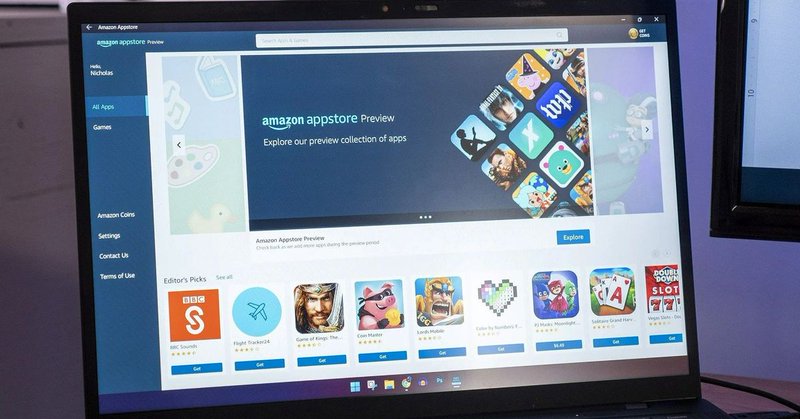
Do you use any Android apps on your Windows device? If you do, bad news… Next year Microsoft's ending Android app support on Windows. Is there an Android app you can’t run your business without? #WindowsWoes #AdieuAndroid #TechTalk
windowscentral.com
Users will no longer be able to install Android apps on Windows 11 starting next year.
0
0
0
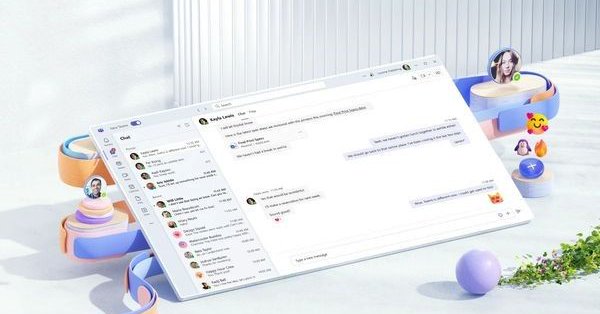
Microsoft's extended the lifeline for classic Teams to July, giving you longer to upgrade to the latest version. But why wait? New Teams has a bunch of cool productivity features you won't want to miss. #MicrosoftTeams #UpdateNow #ProductivityBoost
windowscentral.com
Microsoft has extended the classic version of Teams' lifeline, giving users ample time to transition to the new client.
0
0
0
Does your organization keep network security top of mind? Then join us & @Fortinet during Bits & Bites on Wednesday, March 27th for a lunch & learn session at Samantha's Tap Room in Little Rock! RSVP today to network with experts over a delicious meal! https://t.co/rs3or4jPhw
0
0
0
#Edafio was honored to support & celebrate local communities last week during @Conway_Chamber Annual Meeting. We recognized local businesses & community leaders, while learning industry insights from Simmons Bank Executive Chairman George A. Makris Jr. #Tech #ChamberofCommerce
0
0
0
We're excited to announce, for a third consecutive year, that #Edafio has been featured on the prestigious 2024 @CRN #Tech Elite 250 list! Thank you to our partners, vendors & team! You made this achievement possible. https://t.co/Mv5fByTvBr
#CRNTechElite250 #IT #ManagedServices
1
0
1
Fed up of switching from window to window when you're busy. Try split-screen in Windows 11. Hover over the Maximize button of any window and choose Snap Layouts. Now watch your screen transform. #Windows11 #ProductivityHacks #SplitScreen
digitaltrends.com
Windows 11 takes the excellent Snap Assist functionality of Windows 10 and bumps it up a notch. Here we explain how to split your screen in Windows 11.
0
0
1