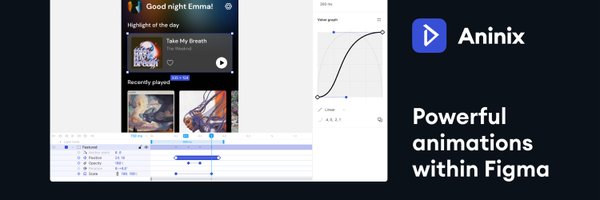

Aninix
@AninixApp
Followers
5K
Following
795
Media
149
Statuses
452
Powerful UI animations within Figma.
Figma
Joined June 2021
Hi everyone, we'd like to introduce ourselves, so you might know a little bit more about Aninix for @Figma. 🧵→
37
198
2K
Hi, we're Aninix. We're building the next-generation motion design tool. v3 is here with auto-layouts, text animation, shaders, brand-new rendering engine and a cleaner UI. 👉 Join the private beta: https://t.co/uYP3hmssmU – What you get: • Free access during beta • 1-year
1
1
7
ANINIX WEEK UPDATE 🔹New animation presets in Aninix! We've added two powerful blur-effect presets: 1. ✨ Layer Blur Classic fade-in effect with blur 2. ✨ Glitchy Layer Blur Create a glitch-blur effect with one click. Perfect for adding a lag-like effect to elements.
1
0
7

Everyone is asking me how I make those smooth animations and motion graphics. The answer is @AninixApp . It's a free tool where you can animate any of your designs. btw, checkout the source file of this animation: https://t.co/MhqyJ0O196
0
1
3
ANINIX WEEK UPDATE 🔹New ways to work with SVG in Aninix! Now you have three ways to start working with SVG files: 1. Export frames via Figma plugin (classic method) 2. ✨ NEW: Direct SVG file import • In project: File → Import SVG • In dashboard: Project → +Create
0
2
4
The animation, as promised. It took very little time. I feel like once you've learned one animation tool, you've learned them all. It was the same when I tried out Jitter after learning Aninix. Rive's state machine and runtime are what set it apart; the experience is mostly the

I'd animate that empty state with Rive soon.
0
1
8
ANINIX WEEK UPDATE 🔹Anchor Point upgraded: now with absolute positioning freedom! Previously, the anchor point could only be set in 9 preset positions: along edges, corners, and at the center of an object. Now you have complete control: • Place the anchor point anywhere on
0
0
3


discovered this animation plugin @AninixApp and absolutely love it. this is really awesome!🔥🔥
0
1
10

This was the most exciting, yet challenging animation I've worked on but it was worth it🚀 Done on @AninixApp
#buildinpublic
0
3
13

Weekend hero exploration using @figma and having fun with @AninixApp ✨ #uidesign #webdesign #figma #dribbble #microinteraction #uiux #saas #animation #herodesign #website #WebsiteDesign
3
2
7



こちらのAninix、今日少し触ってみた。AEはあまり触ったことないので分からないのだけど、UIはFigmaで、タイムラインはRiveを触っている感覚だった。 ちょっとした動きの確認はノーコードツールでレスポンシブ整えながらやる方法もあるけど、これも良さそう。何よりFigmaからのインポートが楽すぎた。

今日は会社の勉強会で軽率にFigmaのモーションプラグイン紹介したんだけど、本当にUIがFigmaとAEのいいところどりでわかりやすすぎるから、Figmaで作ったデザインデータからWebモーションモック作るならとりあえずAninixだよとついったでも軽率におすすめします。 https://t.co/h2w9JGuCBz
0
26
344

First try with Aninix, an animation plugin for Figma. Super impressed with its intuitiveness and performance! Video inspired by Cubesato’s Le Petit Prince music video
0
1
2
今日は会社の勉強会で軽率にFigmaのモーションプラグイン紹介したんだけど、本当にUIがFigmaとAEのいいところどりでわかりやすすぎるから、Figmaで作ったデザインデータからWebモーションモック作るならとりあえずAninixだよとついったでも軽率におすすめします。 https://t.co/h2w9JGuCBz

aninix.com
Bring your Figma designs to life with Lottie animation! Add interactivity, animate elements, and export animated content as Lottie animations, GIFs, or mp4 — perfect for web, apps, or presentations.
2
16
142


Figmaで作った画面にUIアニメーションを作成し、開発者向けにも簡単に共有することができるプラグイン「Aninix」を使ってみました。 @SIFCA_jp #note #Aninix #figma
https://t.co/xPZpSzBcnQ
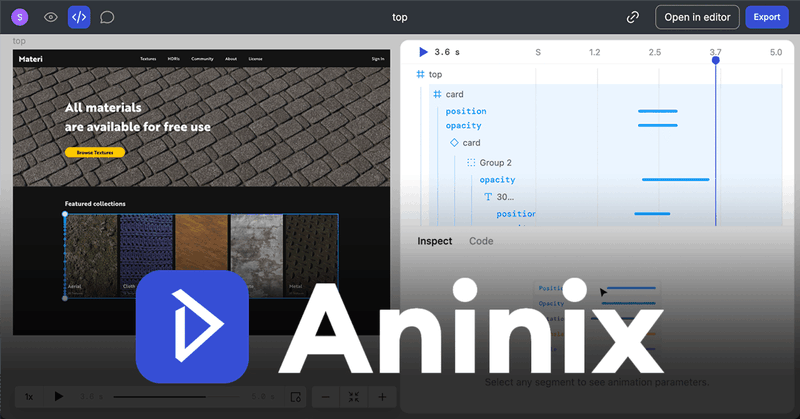
note.com
こんにちは。シフカです。 今回は、Figmaでデザインした画面にUIアニメーションを作成し、開発者向けにも簡単に共有することができるプラグイン「Aninix」を使ってみました。アニメーションサンプルを作る際にパーツを書き出して動画編集ソフトに持って行く手間や、作ったアニメーションを仕様書に起こす必要もないらしいのでとても期待しています。 Aninixとは Aninixは、UIアニメーションを...
0
1
2