Explore tweets tagged as #tinyTutorial
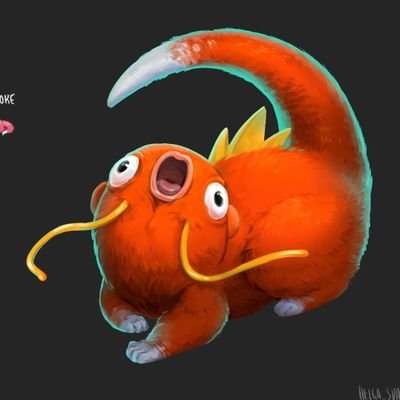
ребят, я сделала мини-туториал с жабкой если хотите нарисовать жабку, это для вас🤲🐸🥺 если у вас получилось или кто-то уже умеет рисовать жабок, прошу, поделитесь своей версией💛 #tinytutorial #froggy
0
0
14
4/6 We will need to add an event handler for the Button. #TinyTutorial
#cppwinrt
#Windows10
#WindowsDev
1
0
2

Today's #tinytutorial . Kern the apostrophe! I'm getting tired of this crap. #adobeillustrator
2
8
107
This #TinyTutorial will show you the basics of adding animations to your XAML controls. Make sure your #Windows10 is up to date, and you have the latest versions of Visual Studio and the Windows 10 SDK installed. Follow the thread below for more! #TuesdayTutorial
2
21
129
5/6 Now for some style! You can also activate the Dark Theme, if that suits your current mood. #TinyTutorial
#cppwinrt
#Windows10
#WindowsDev
1
1
4
#TinyTutorial: Data binding lets you link a control to a source of data and is a key feature of #Windows10 user interfaces. If the data changes, the control updates automatically (and vice versa). Follow the thread below to see an example in action! #TuesdayTutorial
1
18
59

I'm in the process of making a LOT of wood so I came up with a quick zbrush workflow. I really like the faceted look, it feels like low poly's high poly cousin. #tinyTutorial #3dtutorial #3dtutorials #zbrushtutorial #zbrush #3dsculpting #3dworkflow #lowpoly
1
5
18
2/6 First, set up Visual Studio with the C++/WinRT Visual Studio Extension, and then create a blank app. #TinyTutorial
#cppwinrt
#Windows10
#WindowsDev
1
0
2
Today's #tinytutorial : If you ever have trouble figuring out a color scheme try using the blend tool. You'll get a third color that will automatically look good with the other two colors. @Illustrator
8
83
550
[5/6] Now add the event handler to MainWindow.xaml.cs. This will app support for touch, mouse AND pen support to your ink canvas. #TinyTutorial
#WindowsDev
1
0
1

@raolivieri The most user-friendly way to access this imagery is through the STAR website. This has imagery that's closest to real-time (within 2-3 min). The #TinyTutorial below will give you an idea of how to add #GLM data: https://t.co/xdH12RzhOh
1
1
1
By the end of this #tinyTutorial you'll have a machine learning app that can recognize hand-written numbers. Start by downloading the sample from GitHub. It contains the XAML controls and other helper routines. https://t.co/l4mOg7wVBN
1
1
2
6/6 Lastly, make your app adapt to different windows sizes, so it always looks good no matter how the user re-sizes it. You can find the more detailed walkthrough here: https://t.co/epSIp3csju
#TinyTutorial
#cppwinrt
#Windows10
#WindowsDev
0
1
6
Start off Tuesday with a #TinyTutorial! This week it's all about using Machine Learning on Windows 10. You'll need the latest April 2018 update of Windows, and the latest Visual Studio and Windows 10 SDK installed. Here we go! #Windows10
#MachineLearning
#TuesdayTutorial
1
6
10

Uploaded a new TinyTutorial. Looking for a stretchy cast on for your next hat? Here's my favorite: GermanTwist Cast On Tutorial; how to knit stretchy cast on https://t.co/Q3iTjERKBC
0
0
0
Have you ever wondered where we get our #NOAA20 imagery? Well, in celebration of #EarthScienceWeek here’s a #TinyTutorial so you can capture your own imagery! Give it a try: https://t.co/8RrJEAhd55 🌎
1
23
44
[2/6] Now go to Project / Manage #NuGet Packages.. and install the package called "Microsoft.Toolkit.Wpf.UI.Controls". #TinyTutorial
#WindowsDev
0
1
2
[4/6] No pen? Let’s add support for mouse and touch. First, change the XAML to give the canvas control a name, and to provide an event that will be fired when the control is loaded. #TinyTutorial
#WindowsDev
0
0
3